
|
Add/Manage Buyer Referrals
|
 
|
|
|
Add/Manage Buyer Referrals
|
|
#The text in the yellow column is an example of how you should enter information.
 | ||
|---|---|---|
|
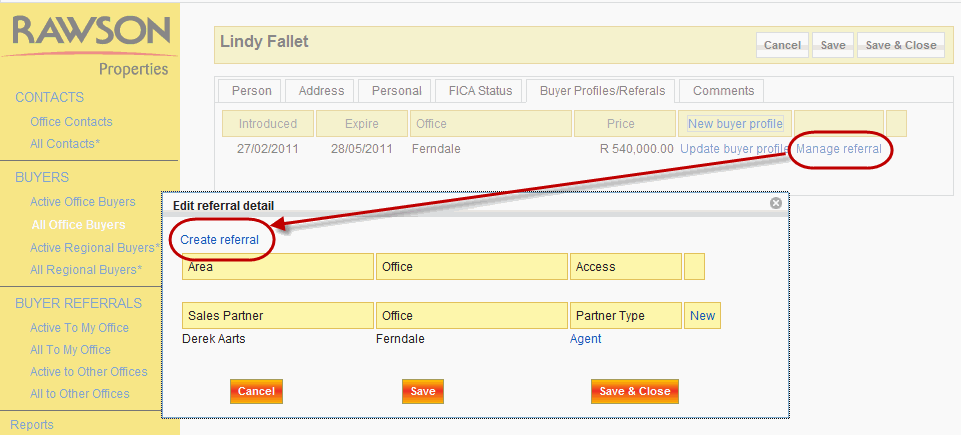
Manage Referral |
Select this link to either create or manage referrals within a buyer record. |
Select the link. |
| ||
|---|---|---|
|
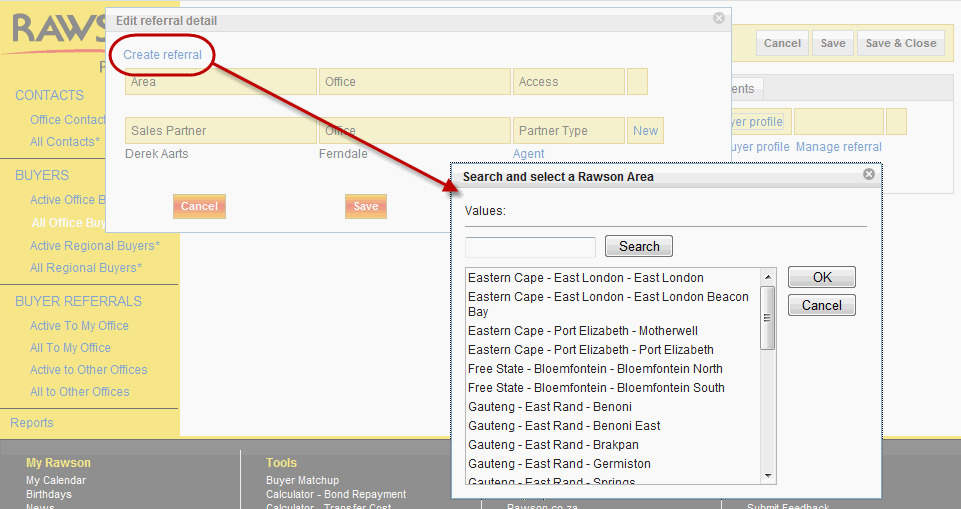
Create Referral |
The first step in creating a referral is to select create referral link. You will be asked to assign the referral to an office. A pop up window will appear and you can search on the area/suburb the buyer is interested in. The result will return which offices cover that area. |
Select the link. |
|
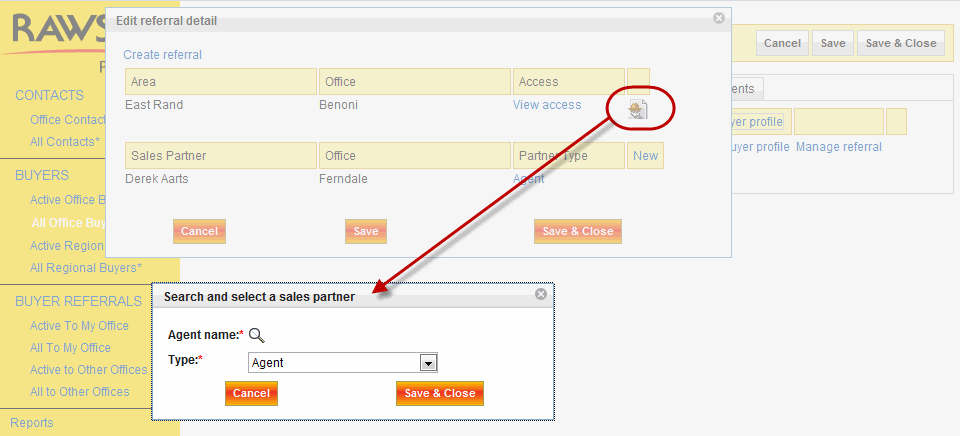
Assign an Offfice |
Select the office that you want to refer to. User is only allowed to select one office. |
Click/search Gauteng - East Rand - Benoni |
| ||
|---|---|---|
|
Agent name |
Once you have assigned an office, you must select the agent contacted - as per the referral policy . |
Jurina Grobler |
|
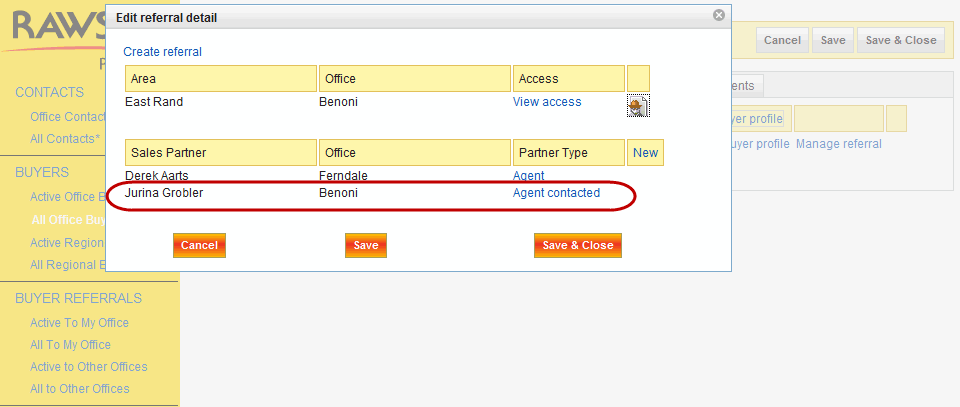
Type |
Assign the role of the agent that you are associating to the office in the previous step. |
Agent, Agent contacted, Referrer. |
| ||
|---|---|---|
|
Area |
Once you have completed creating/managing the record, the referral record will look as the above screen shot. This is where the referral has been assigned, this was in the first step. |
East Rand |
|
Office |
The office within the area, that will be helping the buyer. |
Benoni |
| Access | This is the amount of access the assigned office will have on the buyers details. |
Either they can update a record or not. |