
|
Add/Manage Sales
|
 
|
|
|
Add/Manage Sales
|
|
#The text in the yellow column is an example of how you
should enter information.
 | ||
|---|---|---|
|
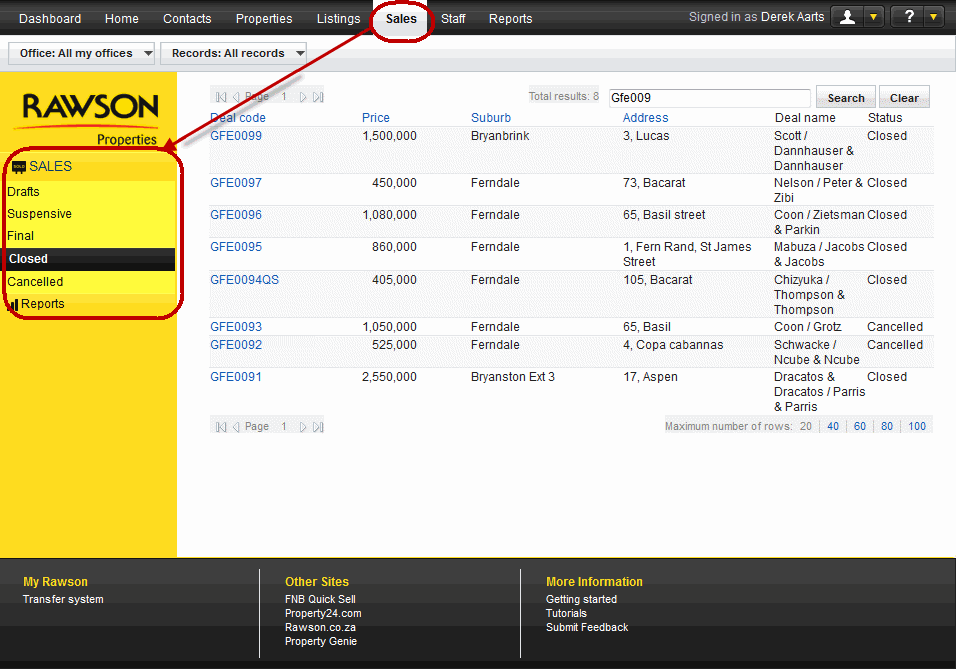
On the top navigation bar, select the Sales tab to view details on the sales that you and your office(s) have created. You have the ability to sort the view using the column header that are hightlighted in blue. You are able to search on the address, suburb and deal code. The deal name may consist of the individuals that are involved in the sale, these are the buyers and sellers.You are able to view a sale at any status: Draft - The initial step in the creation of sale, the date record is the date that the sale was created. Suspensive - A sale may have this status for as long as certain conditions have not been met for the sale to move on the next staus. Final - A sale will move to this status when all require information is filled out and there is no outstanding details and/or amounts that are due. Closed - A sale will be closed once a transfer happens, the creator of the record or Head office administrator have access to make the transfer. Cancelled - This is when a deal has been cancelled, there is recorded under the status history.
| ||
| ||
|---|---|---|
|
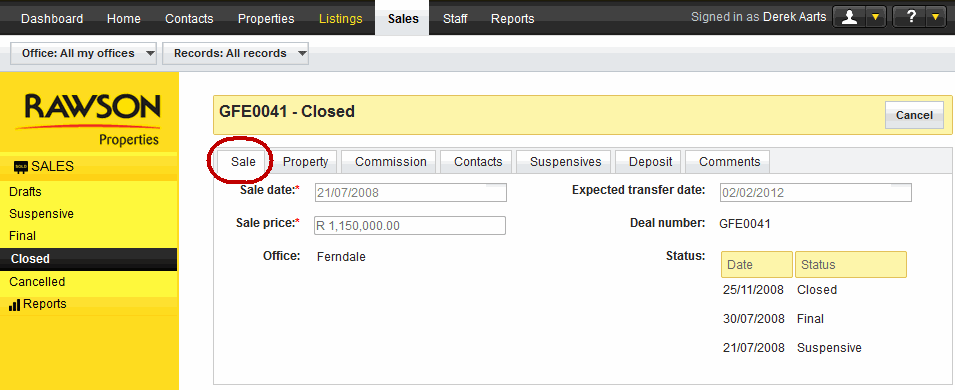
Sale date |
The date that identifies the date the property was sold. |
21/07/2008 |
|
Sale price |
The price that has been agreed on for the sale to be completed. |
1,150,000.00 |
|
Office |
The office that handled the sale of the property. |
Ferndale |
|
Expected transfer date |
The date that the bond institution will transfer ownership of the property to the bond holder. |
19/01/2012 |
|
Deal number |
This is the deal code or number that is generated by RT3 when a sale is created on RT3. |
GFE0041 |
|
Status |
This is where the different status' that the sale goes through until closed or cancelled are displayed. |
Closed |
| ||
|---|---|---|
|
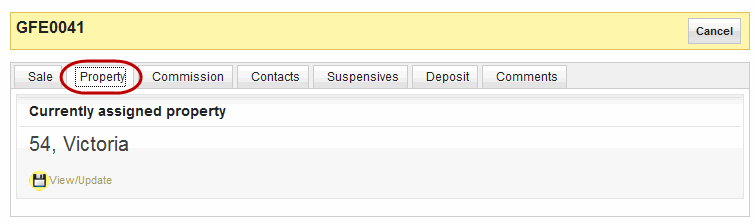
Property |
The property that is being sold, the details are displayed here. As displayed earlier under add/manage property this is how you will be able to view the property details | |
| ||
|---|---|---|
|
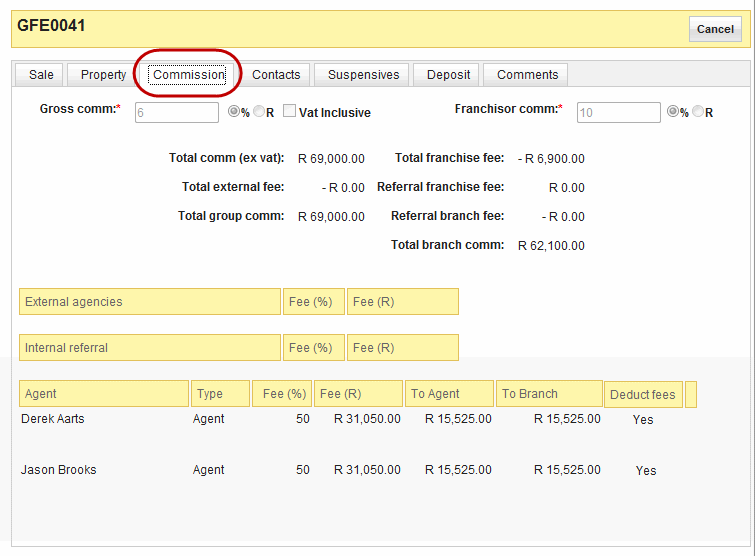
External agencies |
These are the amounts that external agencies are entitled to receive at the close of a sale. this may not always be the case, some deals do not use external agencies. | |
|
Internal referrals |
These are the amounts that internal referrals are entitled to receive at the close of a sale. There may not have been referrals so then these fees will not apply. |
|
|
Agent |
The agent(s) that were involved in the sale, the details of their commission and the amounts the office are entitled. |
|
| ||
|---|---|---|
|
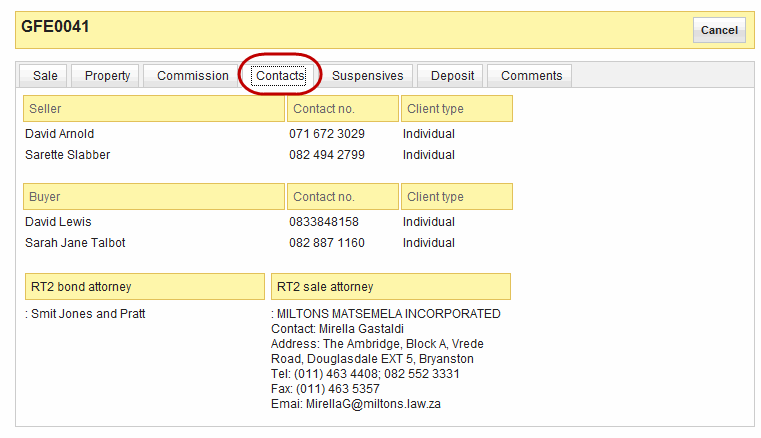
Seller |
The names of the individual that owned the property that was sold, their contact details and the client type the fall under. |
David Arnold, Sarette Slabber |
|
Buyer |
The names of the individual that bought the property, their contact details and the client type the fall under. |
David Lewis, SarahJane Talbot |
|
RT2 bond attorney |
The details of the bond attorney are keep in this section of the sales record, contact details and place off work. |
Smit Jones and tratt |
| ||
|---|---|---|
|
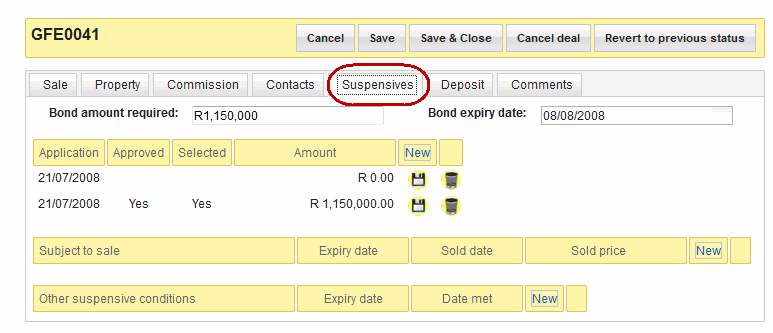
Bond amount required |
The bond amount that buyer has applied for. |
R1,150,000 |
|
Bond expirey date |
The date the bond will expire |
08/08/2008 |
|
Application |
The date the bond application was submitted. |
21/07/2008 |
|
Approved |
If a bond is successful it is marked as "Approved" |
. |
|
Selected |
If the purchaser decides to accept that bond it is marked as "Selected". In the case where Rawson Finance will apply to more than one bank on behalf of the purchaser. The purchaser can then decide which financial institution they wish to accept the bond from. |
Yes |
|
Amount |
The Bond amount that was either approved or selected. |
R1,150,000 |
| ||
|---|---|---|
|
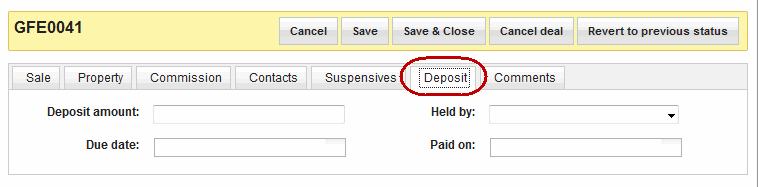
Deposit amount |
The initial amount of money that is required to start the transaction. |
115000 |
|
Held by |
The organisation that is holding the deposit. |
Rawson Properties, Other Agency, Conveyancer |
|
Due date |
The date the deposit amount is due. |
. |
|
Paid on |
The date the deposit was paid. |
. |
| ||
|---|---|---|
|
Comments |
Enter any information about the sale that maybe important but did not have a set place fro representation. | |