
|
Add/ Manage Staff
|
 
|
|
|
Add/ Manage Staff
|
|
# The text in the yellow column is an example of how you should enter information.
 |
|
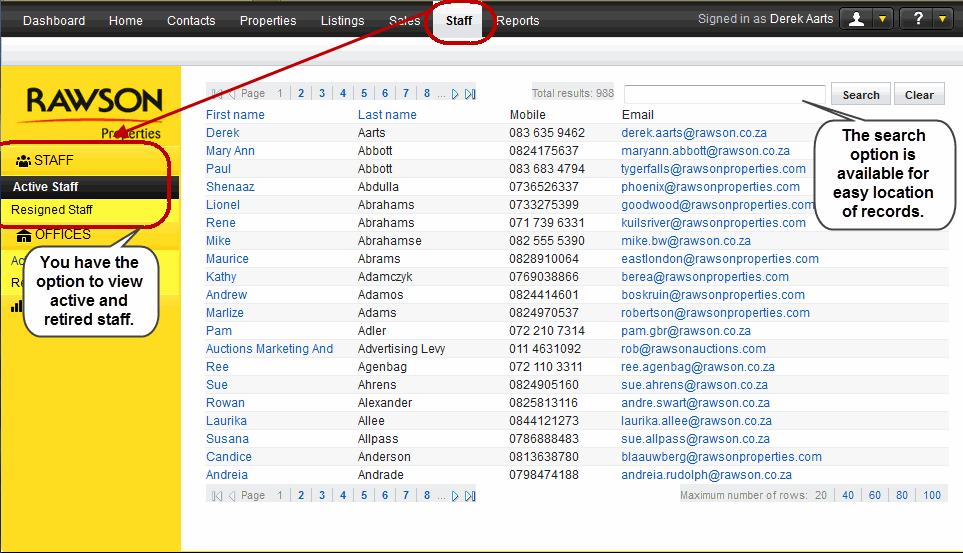
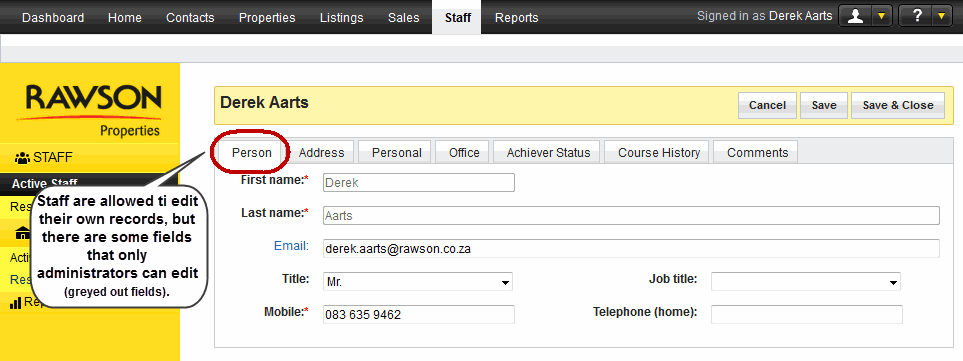
On the top navigation bar, select the Staff tab to view details of either Rawson offices or staff members. By default, you will view offices and if you would like to view staff details, you have to select the relevant link. You have the option to view either active or resigned details on Rawson staff members and Rawson offices. RT3 only allows the Office Administrator and the Head Office Administrator to add a new staff member. Users are only used allowed to edit their own records and not those of their co-worker as some fields within the staff record are prohibited and users are not able to edit them. |
| ||
|---|---|---|
|
First name* |
(mandatory when adding new staff) Users are not allowed to edit information. If your name has changed please ask the Office Administrator to make the change for you. |
Joe |
|
Last name * |
(mandatory when adding new staff) You are not allowed to edit this information. If your name has changed please ask the Office Administrator to make the change for you. |
Soap |
|
Title |
Select the relevant title from the drop down menu. |
Mr, Mrs, Dr etc. |
|
Job Title |
From the drop down menu select the appropriate job. |
Sale Partner |
|
Mobile * |
(mandatory when adding new staff) Enter the mobile number. This number should be a 10 digit number, without spaces. |
0727736900 |
|
Telephone |
Enter the home contact number. |
0215578932 |
|
|
Enter the email address. |
|
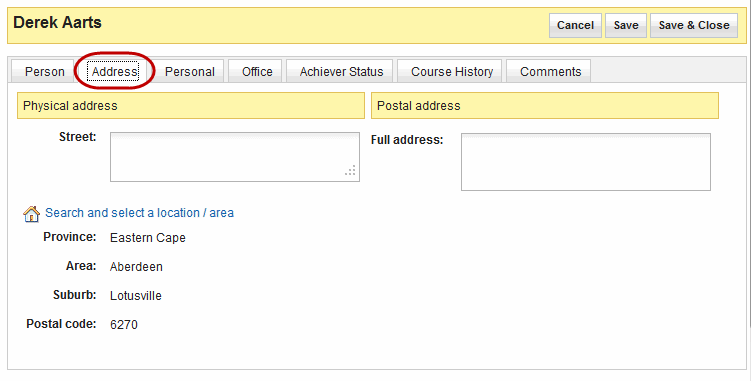
In the case where you need to change/update the address, open the staff record and navigate to the appropriate tab, you are allowed to change these details but only in your own record.
| ||
|---|---|---|
|
Street |
Enter the street name and number |
15 Beach street |
|
Province |
Select the province f rom the drop down menu . |
Gauteng |
|
Area |
Select the area from the drop down menu. |
Randburg |
|
Suburb |
To narrow down where the individual live. Select from the drop down menusuburb in which they live. |
Ferndale |
|
Postal code |
Once you have selected a suburb, RT3 will provide the postal code for that area, select it. |
2694 |
|
Postal Address |
The Postal Address should be entered in this area if it is different from the physical address. Please do not forget to enter the postal code. |
................... |
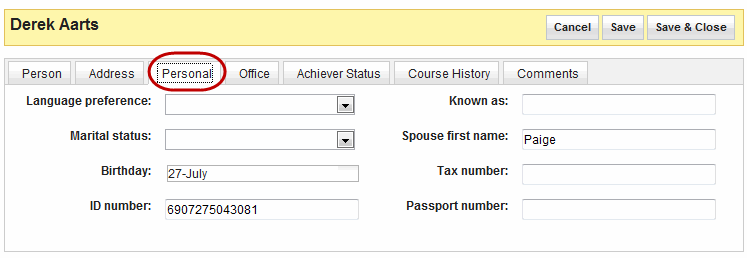
The personal tab contains information that each staff member would like to share with colleagues. It is not mandatory to complete the section.
| ||
|---|---|---|
|
Language preference |
Select the language which the individual prefers from the drop down menu . |
English |
|
Marital status |
The drop down menu gives you options that could be relevant to your marital status, select the most relevant option. |
Married |
|
Birthday |
Insert the birthday in this field, by clicking the text area and using the calendar to select the date. |
27 July |
|
ID number |
Identification number assigned by the government. |
8001015009087 |
|
Known as |
This is the name that the individual is known by his/her colleagues. | ................... |
|
Spouse first name |
If an individual has a spouse and would like to enter this information, they are allowed to place it here. |
Paige |
|
Tax number |
Your personal tax number. | ................... |
|
Passport number |
This is the number that is on an individual's passport. |
B808650 |
|
|
|
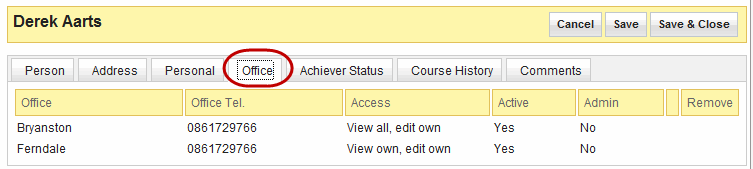
This tab indicates the access rights you have and which offices you have access to. Only the Head Office Administrator and Office Administrator are allowed to change any information on this tab. All other users can only view the information here. |

|
|
|
Only Head Office Administrators are allowed to change information on this tab. All other users can view the information here. |

|
|
|
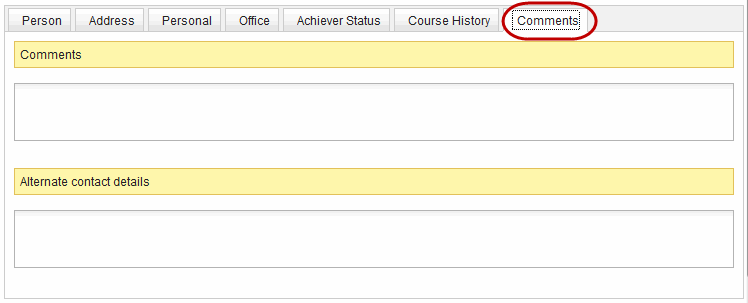
Only Head Office Administrators and Office Administrators are allowed to add information on this tab. All other users can view the information here. |
| ||
|---|---|---|
|
Comments |
Enter information that you think is important and is not captured anywhere else in the record. This could be allergies that you may have, in case of emergencies. |
Allergic to morphine |
|
Alternate Contact Details |
The alternative contact details field is self-explanatory, these details should be entered here, for instance next of kin's details |
Allan - 0727890012 |
